
📘 Overview
The benefits survey allows you to contribute to a collective pool of data regarding workplace perks and allowances. By participating, you help Ravio build real-time market insights that allow you to compare your own offerings against industry standards.
🛠 Prerequisites
Before you begin, ensure you have the following ready:
- Data needed: Details of your current company benefits, such as health insurance, pension contributions, and leave policies.
🚀 Step-by-step instructions
Step 1: Access the survey
- Navigate to the Onboarding section in the side menu and select Submit benefits survey.
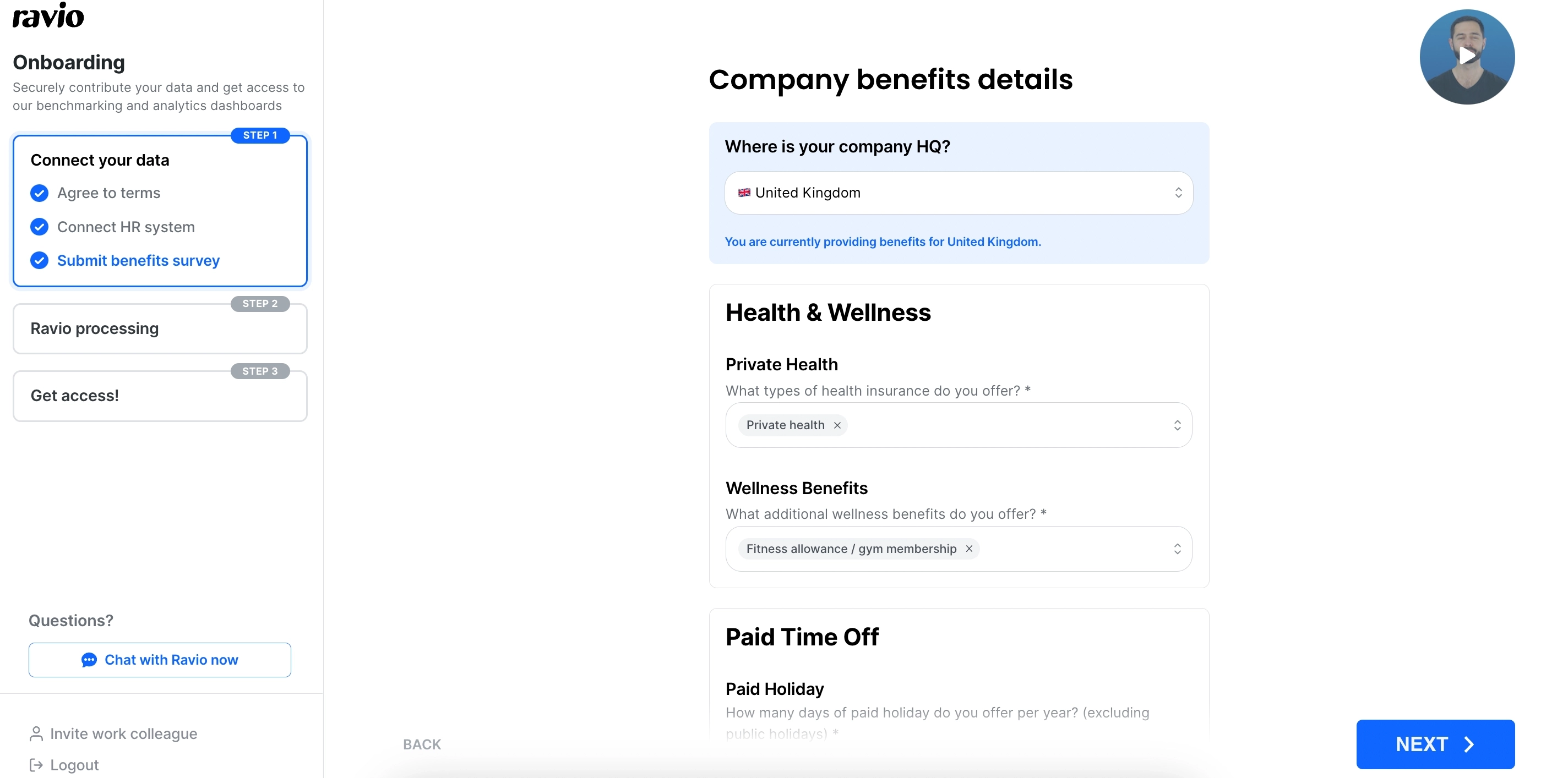
Make sure to select the relevant location from the dropdown at the top. This should be where your company is headquartered.
Step 2: Fill in company-wide benefits
Input the benefits that apply to your entire workforce, such as holiday allowance or remote work stipends.
Tip: If you are unsure about a specific policy, you can save your progress and return to the survey later.
Your responses should include your total offering, not just anything offered above the statutory minimum. For example, if you offer 4% pension contributions in the UK, submit 4% not 1%.
Step 3: Review and submit
Double-check your entries for accuracy. You will need to include a response for all questions marked with an asterisk.
You can submit the survey once all required questions have been completed.
The Benefits Survey collects data on non-cash compensation such as healthcare, pension, and parental leave. Participation in the survey grants you access to Ravio’s Benefits Benchmarking tool, which compares your company’s perks against market standards.