
User permission level: Admin
Your job titles are mapped to a Ravio Position, to generate a benchmark for each role.
Our team will complete this mapping when you join Ravio, however you have the control to make changes in case:
- A different position mapping is better suited
- You want to map in a new job title in your company
To review the mappings in bulk, go to Position Mapping.
How to make changes?
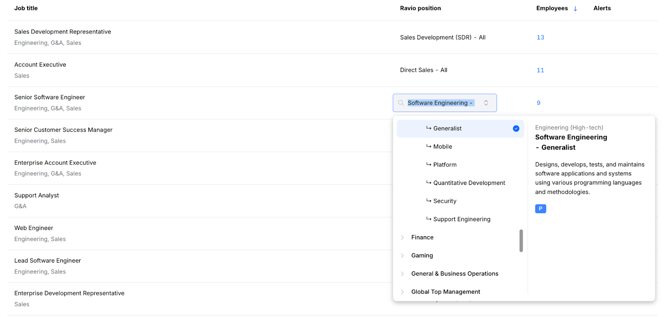
- Click the box under Ravio Position to update a mapping.
- Select the relevant mapping.
If you see one or more of these symbols  , it means a benchmark is available now for Executive, Management, or Professional roles. If you select one without a symbol, no benchmark will be available now, but we will register the demand for the role.
How to map in new job titles?
If there is a new job title in the company, you will need to map this in.
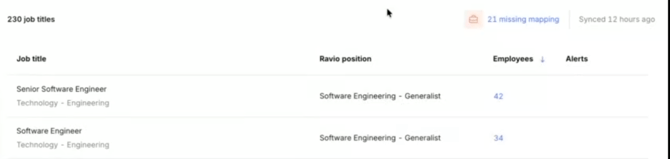
- Click the ‘Missing Mapping’ alert to isolate the job titles.
- Follow the steps above to fill this in.
How do I know which position is best?
There is a Ravio Position Guide in the top right corner, which allows you to search for Ravio positions before mapping them in.
If in doubt, please reach out to your Customer Success Manager for advice.