
How to check when your data was last refreshed
You can see when your Ravio data most recently refreshed by checking the Integration Health widget on your Ravio homescreen.
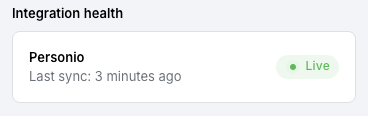
Trigger a refresh of your HR integration
If you've made changes in your HR system and would like those changes to reflect in Ravio, you can request a refresh by clicking on the Integration Health widget on your homepage.
Request Ravio to refresh your the Ravio levels and Ravio positions
If you would like Ravio to refresh your Ravio mapped positions and levels, please request this from your Customer Success Manager.